

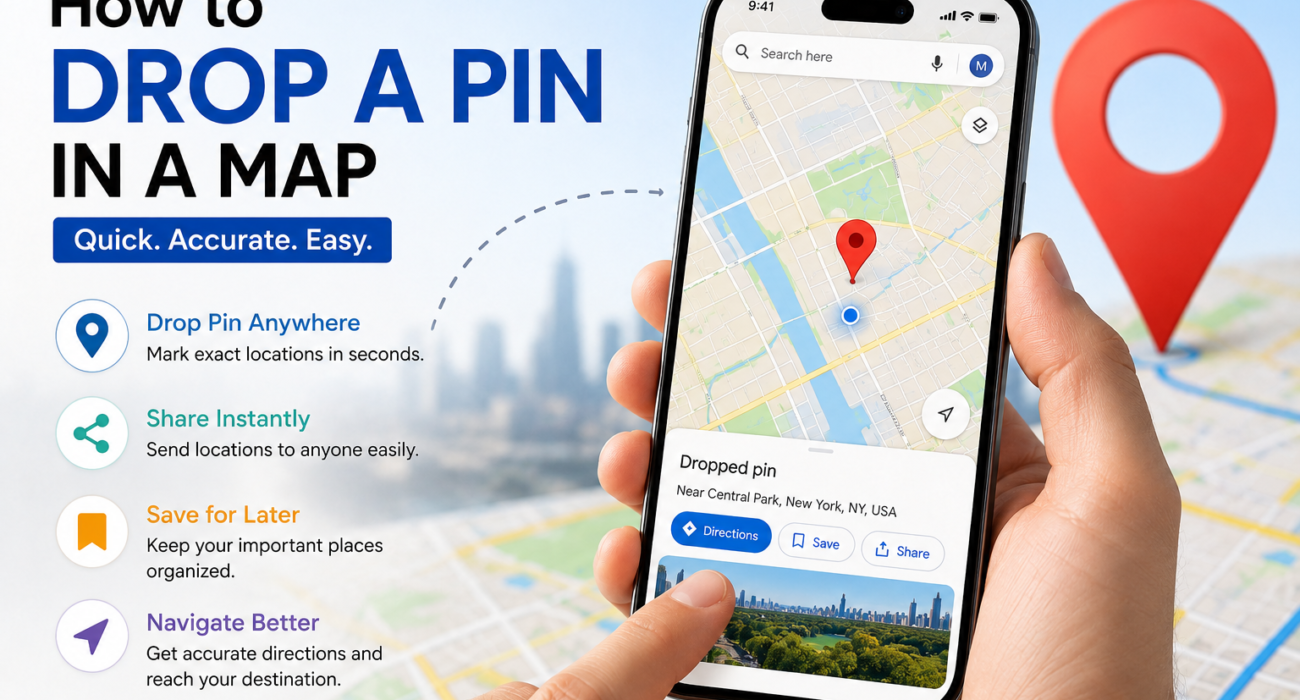
Google Maps is really helpful for getting there every day. If you want to remember where something is, share where you are meeting someone, put your business on the map, or find a vacation spot using Google Maps to drop a pin makes it a lot easier to navigate.
Many people are still looking for a way to do this because Google Maps is always changing how it looks and what it can do. In this guide, from Glimmers Point, you will learn how to drop a pin on Google Maps using your Android, your iPhone, and your computer. You will also get some important tips, benefits, and common mistakes to watch out for when using Google Maps to drop a pin.
What Does It Mean to Drop a Pin in Google Maps?
Dropping a pin means placing a marker on a specific location. This helps users save locations, share addresses, navigate accurately, and remember places easily.
Pins are useful when an address is unavailable, and the location is hard to explain. You want to share an exact spot.
You can pin locations anywhere, like roads, parks, businesses, and remote areas.
This feature makes it easy to share and save places.
It also helps in navigation, making it a useful tool for users.
Why Is Dropping a Pin Important?
Dropping a pin is useful for professional purposes. It helps with navigation and sharing locations with friends, family, or customers. You can save places during trips. Businesses can share pinned locations to make it easier for customers. Dropping a pin is also helpful in emergencies. At Glimmers Point, we think location sharing is important for businesses and travelers. It makes things easier for everyone. Dropping a pin is a way to share exact locations, and it is very useful for many people, including delivery services and event organizers, which is why it is so useful.

How to Drop a Pin in Google Maps on Android
Android users can easily drop a pin in Google Maps.
- To do this on your Android device, follow these steps:
- Open Google Maps
- Search for or find the location you want
- Hold the exact spot where you want to place the pin
- A red pin will appear on the location
- Now you can save the location, share it, start navigation, or label the place.
This method works for every location on Google Maps. You can drop a pin within seconds.
Google Maps makes it simple to drop a pin and save or share a location with others.
Just use Google Maps on your Android device.
How to Drop a Pin in Google Maps on iPhone
The steps for iPhone users are similar. To find a location on iPhone, follow these steps:
- Open the Google Maps App. Ensure it is updated.
- Zoom into the location you want.
- Long-press the area until a pin appears.
- Google Maps will show options like directions, save, label, and share.
- To share, tap the share option. Send through WhatsApp, Messages, Email, or social media.
You can share the pinned location easily. Google Maps makes it simple to share locations with others. The Google Maps App is very helpful.
How to Drop a Pin in Google Maps on Desktop
Desktop users can easily pin locations.
To do this on the Google Maps Website,
you can follow these steps:
- Open Google Maps in your browser
- Find the location by searching or moving around the map
- Click the spot you want.
Google Maps will then show information about the location.
You can then copy the link, share the location, or save it to your Google account.
Pinning locations on Google Maps is useful for planning trips and managing business locations on Google Maps.
How to Share a Dropped Pin
Google Maps is really helpful when you want to share a location with someone. You can share a dropped pin in various ways. Share pins through messaging apps like WhatsApp or Telegram. You can also share via email, which is good for business meetings. Google Maps gives you a link to share. Sharing locations on Google Maps is convenient and avoids confusion. Google Maps makes it easy to share locations on media, too. Sharing a location on Google Maps is very useful. Google Maps helps you share locations easily.

How to Save a Dropped Pin in Google Maps
Google Maps lets users save locations for later. To save a pin,
- tap the Saved Option
- Drop the pin. Select Save
- Choose a list like Favorites. Want to Go.
Google Maps is useful for Google Maps users like travelers and daily commuters because Google Maps saves locations. Google Maps saves these locations under your Google account so you can access them anytime on any device using Google Maps. This Google Maps feature is really useful for people who use Google Maps.
Common Uses of Google Maps Pins
People use dropped pins for practical things.
They are helpful in situations.
Here are some popular uses:
- Meeting Points: Dropped pins help share meetup locations with others.
- Business Addresses: They guide customers to the place.
- Travel Destinations: People use pins to mark hotels, attractions, or hidden spots on a map.
- Delivery Services: Dropped pins help drivers find addresses faster.
- Event Locations: They make it easy to share venues with attendees.
In emergencies, dropped pins provide location details quickly, which can be very useful.
Common Mistakes While Dropping a Pin
People often put the pins. Mistakes to avoid include dropping the pin quickly. Google Maps users should zoom in properly before placing the pin. They should also verify the Pin before sending it to avoid sharing the location. Additionally, Google Maps users must consider GPS accuracy. Save important pins, especially frequently used locations, to access them easily later. Google Maps users should keep the app updated for functionality. This helps Google Maps users use the app correctly and avoid mistakes with Google Maps.
Tips for Using Google Maps Pins Effectively
- Zoom In for Better Accuracy
When you zoom in, you get precise results.
- Label Key Places
Use custom labels to easily find locations.
- Use Offline Maps
Download maps for areas with the internet.
- Organize Your Saved Places
Make lists for types of places, like:
* travel spots
* business locations
* favorite restaurants
* workplaces
Share Your Live Location
Share your location with others during travel or emergencies, for added safety and convenience.
This feature is helpful during travel or unexpected situations.
Google Maps Pin Features in 2026
Google Maps continues to introduce smarter location features.
Latest improvements
AI-Based Suggestions
Google Maps now recommends nearby places more intelligently.
Better Real-Time Navigation
Improved traffic and route updates.
Enhanced Location Sharing
Faster and more accurate sharing tools.
Improved Business Listings
Businesses can manage locations more effectively.
Smarter Saved Lists
Organized and personalized place recommendations.
At Glimmers Point, we believe Google Maps will continue becoming more integrated with AI-powered local search and navigation systems.
Frequently Asked Questions
Q1. Can I drop a pin without an address?
Yes. Google Maps lets users drop a pin anywhere, even if there is no address.
Q2. Is dropping a pin free on Google Maps?
Yes, it is totally free.
Q3. Can I save multiple pinned locations?
Yes. You can save many locations as you want using different lists.
Q4. Can I share a dropped pin with anyone?
Yes. You can share pins with others through messaging apps, email, and social media.
Q5. Does dropping a pin work offline?
You can look at saved pins offline if you downloaded the map area before.
Final Thoughts
Dropping a pin on Google Maps is a thing to do, but it is really useful in today’s digital world. When you are traveling, running a business, planning events, or sharing locations with friends Google Maps pins make it easier to navigate.
Google Maps pins are helpful because they make navigation more accurate and convenient.
By knowing how to drop a pin, save a pin, and share a pin, users can use Google Maps better on their Android, iPhone, and desktop devices.